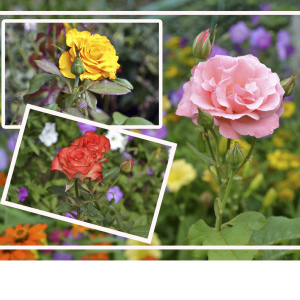
From the photo on which the important and bright events of your life are captured, you can create a spectacular creative product - photocollage. The worldwide network offers a lot of free online programs using which you are without much difficulty and certain knowledge (as, for example, it requires a PhotoShop graphic editor) to create an unusual composition from its pictures. Let's look at the existing software and see how to make a collage of photos online.
Servicehaving an unintended and inexpressive type of interface that is compensated by convenience and simplicity in use. Without special skills, you can easily create your own small original masterpiece. To do this, click on the link to the site and perform a few simple steps:- Select the main template (only 40 of them) from the options presented before you. During the work, if the very form of the template appears not suitable for your photos, it can be replaced by another look.
- Download a JPG photo of a format not exceeding 1 MB (you can download up to 6 pictures, if necessary, you can delete them and add new ones).
- Fill in photos Selected template. Pictures can be stretched, narrowed, move as, in your opinion, it will be interesting.
- When everything is ready, click the "Create" button and move to the page with your collage.
- Right-click on the image, select "Save the image as ..".
- Save the collage in the desired folder.

- On the main page, click the "Try Now" button, wait for the main work window to download.
- In the window that opens, find the "Open" button (it is located in the center) and select Images. You will be offered options: Computer, Dropbox, Facebook, Picasa, Webcam, Internet.
- Move the photo to the desired template.
- Each image after moving is handled in the panel located on the right. Here you can change the location of the picture, its shades, exposure, size, sharpness.
- The collage can be edited using the toolbar immediately under the picture.
- Outcome in high quality Save in JPG or PNG format to your computer, in Dropbox or transfer to the Internet with your comment.


Collages created by their own hands can be used for a wide variety of purposes: please the relatives (printing and placing such a composition into the frame), place on your online blog, demonstrate in your portfolio or make a digital family photo album, making a beautiful selection of children's or wedding photos.

 0
0 2531
2531