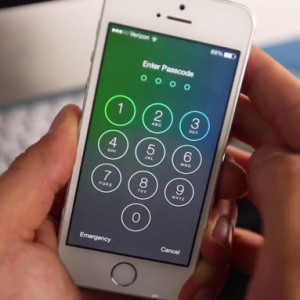


It is extremely often due to an insufficient amount of memory in a mobile device EPL, an iPhone is an order of magnitude worse. It begins to hang and independently reboot. So that the gadget worked again, as before, it is necessary to clean it from excess software garbage.
To complete the iPhone cleaning, you can delete each application manually, and you can use other ways.
How to fully clear the iPhone - the method of purification number 1
You can restore an iPhone using the iTunes program. To do this, you need to have a backup of the data in this application. From it, the device can be cleaned before the initial state.

How to fully clear the iPhone - Cleaning Method No. 2
- Go to the settings of your device.

- Find the Other item.
- Go to it and go to the "Reset" section.
- Lay out the "Erase Settings and Content" item.
- If necessary, enter the password.
- Confirm your request. Press twice to "Erase the iPhone".
- If the "Find Device" option was enabled in iCloud, you will need to specify the password for the Apple ID and turn it off.
- After that, the screen will go out, after a few moments there will be a corporate logo and a process status scale. It will last for 2 - 15 minutes.
- It is important that the level of charge amounted to at least 25%. Otherwise, the iPhone can turn off during the cleaning process and will have to use iTunes to restore it.

How to fully clear the iPhone - Cleaning Method No. 3
- Go to the site: http://icloud.com..
- Complete authorization.
- Enable the "Find iPhone" application.
- Go to the "All Devices" section.
- Lay your phone and click on the "Erase iPhone" button.
- Confirm this action.
- Enter the Apple ID password if the device requests it.
- Press the "Next" and "Finish" buttons. The process of cleaning garbage will begin. It will take up to 15 minutes.

How to fully clear the iPhone - the method of purification number 4
- Go to the settings of your device.
- Find the "Storage" item. It is located in the "Main" settings section, in subparagraph "Statistics".
- Select applications you want to remove from the phone.
- Click on the Delete button.
- Confirm the action and click on "Finish".
- Using this method, you can delete all applications installed by the user who take too much memory.
- A similar action can be performed without going into the settings. On the desktop of your device, click on the free space and hold your finger within 2 seconds. On the icons of the applications that were loaded by the user, red crossbars will manifest. When you click on the application, it will be deleted from the device's memory.


 0
0 487
487